

Web Banners
Bridge desktop and mobile experiences by allowing users to scan a web banner to continue on their phone.
Create Your QR CodeFrom Big Screen to Your Pocket
A user sees an ad on their desktop, but the ideal experience (like an app download or a mobile-friendly form) is on their phone. A QR code on a web banner provides a seamless bridge between the two.
They solve the 'desktop-to-mobile' conversion problem. Instead of asking a user to search for your app or type a URL on their phone, they can simply scan the code on their screen to instantly transfer the experience to their mobile device.
Key Use Cases
App Downloads
The most common use case. A banner ad for a mobile app includes a QR code that links directly to the App Store or Google Play.
Mobile-First Experiences
If you're advertising an experience best suited for mobile (like an AR filter or a location-based game), a QR code is the perfect entry point.
Send a Link to Your Phone
For a long article, recipe, or travel itinerary, a QR code lets the user easily send the link from their desktop to their phone for later viewing.
Cross-Device Shopping Carts
A user can build a shopping cart on desktop and then scan a QR code to open the same cart on their mobile device to complete the purchase.
Real-World Examples
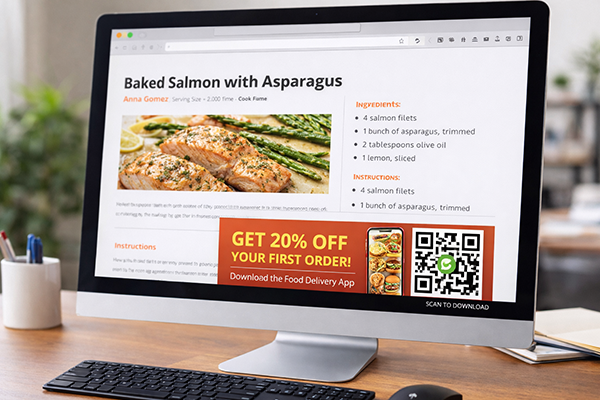
Food Delivery App Ad
A banner ad on a recipe website shows a QR code to download the food delivery app and get 20% off the first order.
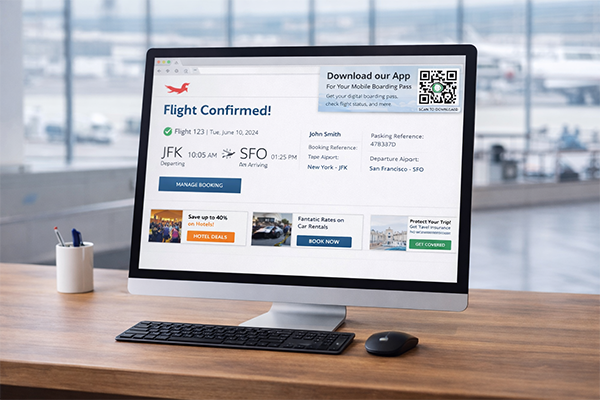
Airline Website
After booking a flight on desktop, the confirmation page shows a QR code to download the airline's mobile app for a digital boarding pass.
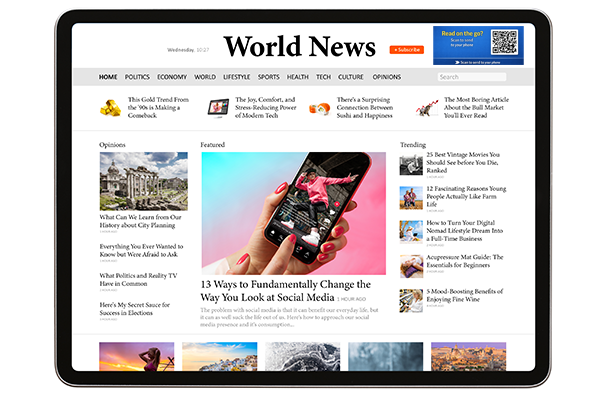
Online News Article
A long-form news article on a desktop site includes a QR code at the top with the text 'Read on the go? Scan to send to your phone'.
Benefits for Brands
- Significantly Increase App Download Conversion Rates
- Provide a Seamless Cross-Device User Experience
- Track Desktop-to-Mobile User Journeys
- Reduce Friction for Mobile-Specific Actions
Benefits for Customers
- Effortless Transition from Desktop to Mobile
- No Need to Search for Apps in the App Store
- Quickly Save Content for Later Mobile Viewing
Design & Placement Guidelines
Ensure the QR code is large and clear enough to be scanned from a screen.
The call-to-action must be explicit: 'Scan to Download the App' or 'Scan to Continue on Your Phone'.
Place the QR code in a way that doesn't obstruct the main message of the banner but is still easily noticeable.
Make sure the banner is static or the QR code is present for long enough to be scanned on animated banners.
Frequently Asked Questions
Ready to Innovate?
Join thousands of brands connecting with customers through smart packaging. Create your dynamic QR code now.
Get Started with OrbitQR