
Newsletters
Enhance your newsletters with links to exclusive video content, surveys, or downloadable resources.
Create Your QR CodeBeyond the Text
Email newsletters are a great way to stay in touch with your audience, but they can be a one-way street. QR codes add an interactive layer, encouraging readers to engage more deeply with your content.
They are perfect for bridging the gap between an email read on a desktop and an action taken on a mobile phone. This is ideal for app downloads, adding events to a mobile calendar, or accessing mobile-specific content.
Key Use Cases
Link to Exclusive Video Content
Tease an article in your newsletter and include a QR code that links to a full-length video interview or documentary on the topic.
Download a Companion Resource
Offer a free e-book, checklist, or template as a PDF that readers can download by scanning a QR code.
RSVP for an Event
Promote a webinar or in-person event and use a QR code that adds the event directly to the user's mobile calendar.
Gather Feedback with a Survey
Include a QR code that links to a mobile-friendly survey to gather feedback on your newsletter or products.
Real-World Examples
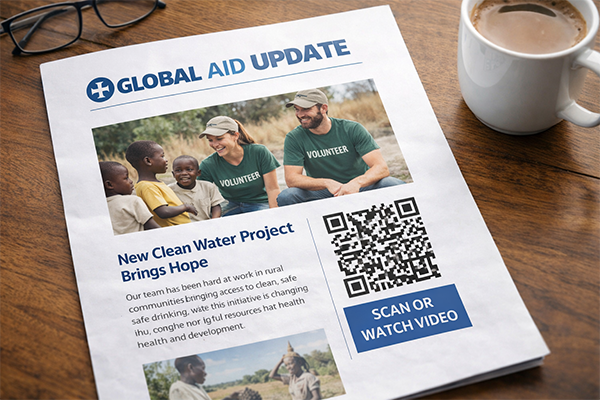
Non-Profit Newsletter
A newsletter about a recent charity project includes a QR code that links to a 'day in the life' video of their field workers.

Financial Advisor's Newsletter
A market update newsletter has a QR code to download a detailed PDF report on 'Top 10 Investment Strategies for the Year'.
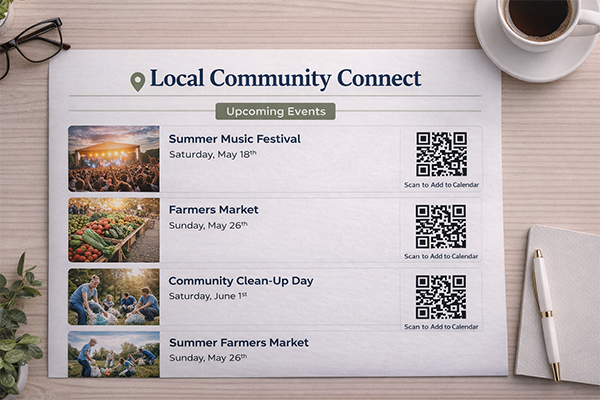
Local Community Newsletter
The 'Upcoming Events' section has a QR code for each event that adds it to the user's phone calendar with all the details.
Benefits for Brands
- Increase Engagement and Interaction with Your Content
- Provide Additional Value to Your Subscribers
- Drive Specific Actions like Downloads or Event RSVPs
- Gather Valuable Audience Feedback and Insights
Benefits for Customers
- Easy Access to Bonus Materials and Resources
- Seamlessly Add Events to Their Personal Calendar
- A More Interactive and Engaging Reading Experience
Design & Placement Guidelines
Place the QR code within the relevant section of your newsletter.
Always provide a regular hyperlink next to the QR code for users reading on mobile.
Ensure the call-to-action is clear: 'Scan to Download the Report' or 'Scan to Add to Calendar'.
Test the email on multiple devices and email clients to ensure the QR code displays correctly.
Frequently Asked Questions
Ready to Innovate?
Join thousands of brands connecting with customers through smart packaging. Create your dynamic QR code now.
Get Started with OrbitQR