
Email Campaigns
Add a scannable element to your emails for event check-ins, special offers, or app downloads.
Create Your QR CodeBridging Email and the Real World
Emails are digital, but they often refer to real-world actions. QR codes provide a seamless bridge, allowing a user to take an action with their phone that was initiated in an email.
They are perfect for mobile-centric actions initiated from a desktop email client. A user can open an email on their laptop and then scan a QR code with their phone to download an app, save a ticket, or access a mobile wallet coupon.
Key Use Cases
Event Tickets and Boarding Passes
Email a confirmation with a QR code that the user can scan at the event or gate for entry, saving it directly to their mobile wallet.
Exclusive In-Store Coupons
Send a promotional email with a QR code that can be scanned at the checkout counter for a discount.
App Downloads
Include a QR code in your email newsletter that links directly to your app on the App Store or Google Play.
Adding a Contact to Phone
Send an introductory email with a vCard QR code, allowing the recipient to instantly save your contact details to their phone.
Real-World Examples
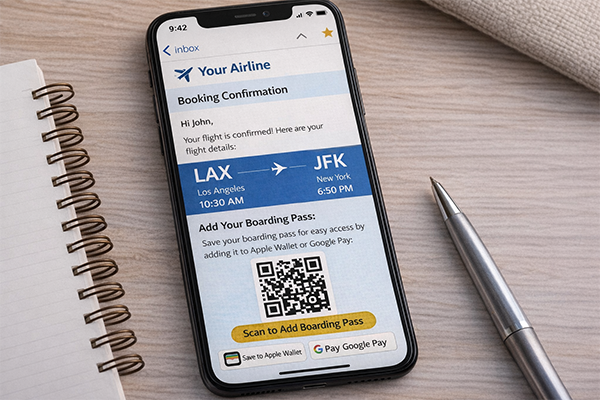
Airline Confirmation Email
After booking, the confirmation email contains a QR code that adds the boarding pass to Apple Wallet or Google Pay.
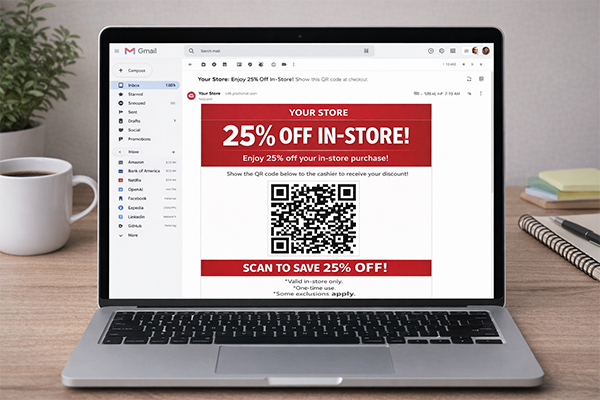
Retailer's Promotional Email
A '25% Off In-Store' email includes a unique QR code that the cashier scans to apply the discount.
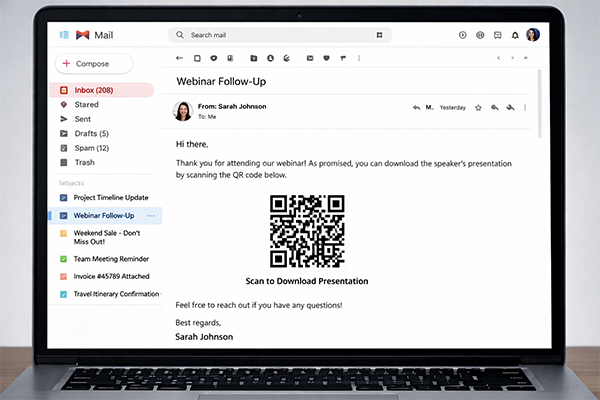
Webinar Follow-up Email
An email sent after a webinar has a QR code that links to download the speaker's presentation as a PDF.
Benefits for Brands
- Create a Seamless Omni-Channel Experience
- Track the Conversion of Email Campaigns into Real-World Actions
- Increase App Downloads and In-Store Traffic
- Provide a Modern and Convenient User Experience
Benefits for Customers
- Easily Save Tickets, Coupons, and Passes to Mobile Wallets
- Quickly Access In-Store Discounts Without Printing
- Frictionless App Installation
Design & Placement Guidelines
Ensure the QR code image is embedded at a high enough resolution to be scannable on all screen sizes.
Always include a clear call-to-action, such as 'Scan to add to your wallet'.
Provide a regular link as a fallback for users who open the email on their mobile device, so they can tap instead of scan.
Test how the email and QR code render in various email clients (Gmail, Outlook, Apple Mail).
Frequently Asked Questions
Ready to Innovate?
Join thousands of brands connecting with customers through smart packaging. Create your dynamic QR code now.
Get Started with OrbitQR