

Brochures
Enhance your brochures with QR codes that lead to video tours, detailed specifications, and online galleries.
Create Your QR CodeBringing Brochures to Life
Brochures are excellent for providing detailed information, but can be text-heavy and static. QR codes inject life and interactivity into your brochures, offering a richer, more engaging experience.
A QR code acts as a digital appendix for your brochure. It allows you to present information that doesn't fit well on paper—like videos, 360-degree views, or extensive photo galleries—without cluttering your design.
Key Use Cases
Virtual Tours
In real estate or tourism brochures, link to immersive video or 3D tours of properties and destinations.
Product Demonstrations
Show your product in action with a QR code that links to a demonstration video on YouTube or Vimeo.
Customer Testimonials
Build social proof by linking to a video or webpage featuring glowing reviews from satisfied customers.
Download Full Catalog or Spec Sheet
Provide a QR code for users to download a comprehensive PDF catalog, technical specifications, or price list.
Link to an Online Gallery
For products with many variations or artists showcasing their work, a QR code can lead to an extensive online gallery.
Real-World Examples
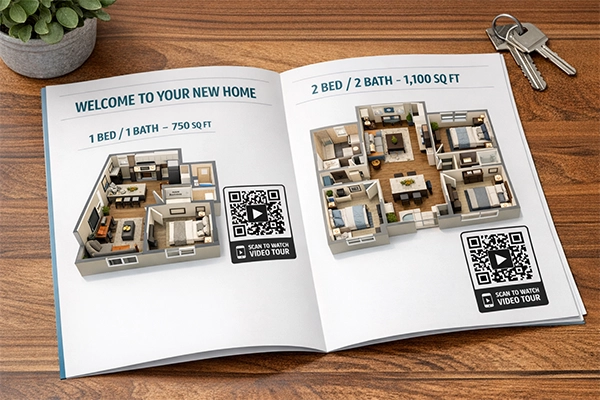
Real Estate Brochure
A brochure for a new apartment complex includes a QR code on each floor plan, linking to a video walkthrough of that specific unit.
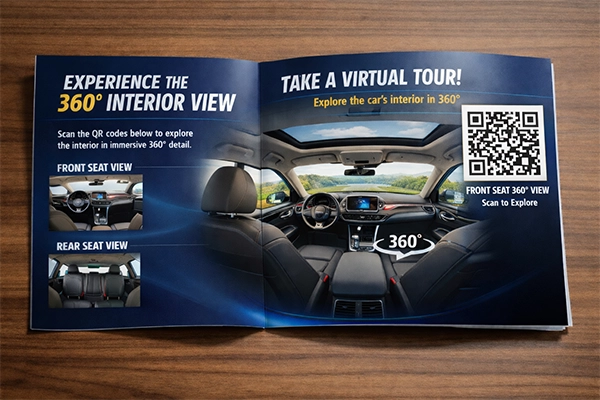
Car Dealership Brochure
A car brochure uses QR codes to link to 360-degree interior views and videos of the car in motion.
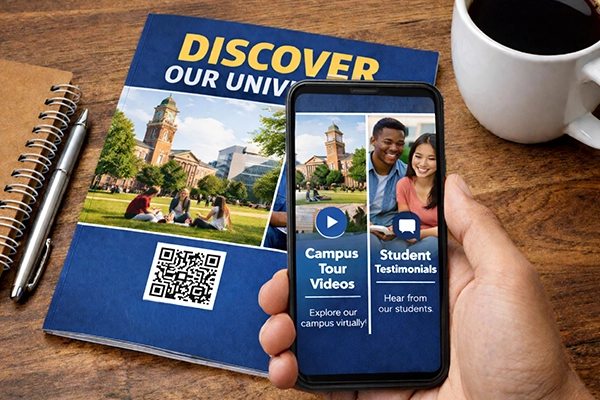
University Prospectus
A university brochure features QR codes that link to campus tour videos and testimonials from current students.
Benefits for Brands
- Provide a Richer, More Engaging User Experience
- Save on Printing Costs for Extensive Details
- Track Which Sections of Your Brochure Generate Most Interest
- Keep Content Fresh with Dynamic QR Codes
Benefits for Customers
- Access to Dynamic Content like Videos and 3D Models
- Deeper Understanding of Products or Services
- Easily Save or Share Detailed Information
Design & Placement Guidelines
Place QR codes logically next to the content they relate to.
Use a unique QR code for each distinct action or piece of content.
Clearly label what the QR code does (e.g., 'Scan to Watch Video Tour').
Ensure high-quality printing to maintain scannability.
Frequently Asked Questions
Ready to Innovate?
Join thousands of brands connecting with customers through smart packaging. Create your dynamic QR code now.
Get Started with OrbitQR